Kitten Keyboard Escape Progress Checklist
Track rewards, upgrades, and keyboard stage milestones.
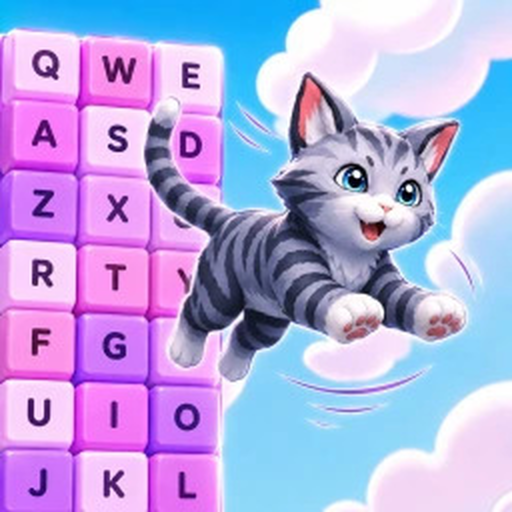
Use this progress checklist as a markdown table you can copy into notes while playing +1 Kitten Keyboard Escape. It connects free rewards, upgrade purchases, and stage milestones to wiki guides so new accounts and returning players do not skip steps that matter.
Account setup checklist
| Step | Done? | Wiki link |
|---|---|---|
| Join official Roblox place | [ ] | Official Links |
| Join Kitten Obby Fan Club group | [ ] | Group Rewards |
| Claim group gift in-game | [ ] | Group Rewards |
| Redeem active promo codes | [ ] | Redeem Codes |
| Read controls for your device | [ ] | Controls |
| Complete Getting Started basics | [ ] | Getting Started |
First-hour upgrade checklist
| Purchase | Done? | Notes |
|---|---|---|
| First jump upgrade tier | [ ] | See Early Game Build |
| Base multiplier upgrade | [ ] | See Upgrades Tier List |
| Second jump or margin tier | [ ] | Buy when gaps repeat fail |
| Hold cosmetics until core buys done | [ ] | Tier list D-tier items |
Stage milestone checklist
Track mentally or write stage names as you discover them in live play—exact numbering changes with updates.
| Milestone | Done? | Guide |
|---|---|---|
| Early letter rows cleared reliably | [ ] | Stage Walkthrough |
| First mid-world diagonal chain | [ ] | Stage Walkthrough |
| First hard send-back section beaten | [ ] | Beat Hard Stages |
| Co-op race completed with friends | [ ] | Racing Tips |
Event checklist
| Event task | Done? | Wiki link |
|---|---|---|
| Verified 3X banner in-game | [ ] | Weekend Multiplier |
| Planned session before window ends | [ ] | Session Planner |
| Logged weekend gains vs weekday | [ ] | Weekend Events |
Safety checklist
| Step | Done? | Wiki link |
|---|---|---|
| Avoided script downloads | [ ] | Script Safety |
| Used official links only | [ ] | Official Links |
| Enabled Roblox 2-step verification | [ ] | Roblox account settings |
How often to update this checklist
- New accounts: after every session until mid-game
- Returning players: after Latest Update patches
- Weekend players: before and after each 3X window
Pair with guides
Checklists track whether you completed steps; guides explain how. Jump math lives on Jump Power; multiplier timing on Multipliers & Rebirth.
Mobile players
Add a row for Mobile Tips settings tuned before marking stage milestones complete—touch controls skew fail rates.
Mid-game expansion checklist
| Milestone | Done? | Wiki link |
|---|---|---|
| Comfortable with stop-jump rhythm | [ ] | Controls |
| Understood jump scaling | [ ] | Jump Power |
| First multiplier layer planned | [ ] | Multipliers & Rebirth |
| Hard stage recovery habit practiced | [ ] | Beat Hard Stages |
| Avoided Speed Keyboard Escape clone places | [ ] | Official Links |
Returning-player checklist
After a week away:
- Confirm place ID 94860588848140
- Reclaim any new codes on Redeem Codes
- Skim Latest Update for shop or jump changes
- Warm up on early keys before hard diagonals
- Refresh Upgrades Tier List before big purchases
How to store the checklist
Copy tables into a notes app and keep one file per Roblox account. Do not share screenshots that include private codes or personal login details. The wiki never syncs your ticks—treat this page as a template, not a cloud save.
Weekly review questions
- Did I claim the Kitten Obby Fan Club gift on every alt?
- Did weekend 3X time go to reliable routes or failed experiments?
- Which upgrade actually opened a new keyboard world?
- Do co-op friends need matching early buys before next race?
Answer those after each Session Planner block to keep the checklist honest.
Frequently Asked Questions
Quick answers about Kitten Keyboard Escape on Roblox.
Can this checklist sync with my Roblox account?
No. It is a manual wiki tool. Copy rows into your notes app and tick them yourself.
What if I skipped the group gift?
Return to Group Rewards and claim before major upgrade purchases—it is free progress.
Should I track exact stage numbers?
Track milestone descriptions you recognize in-game; live updates may rename or insert stages.